Extension Point Types
An IrisX App is a collection of a number of extensions.
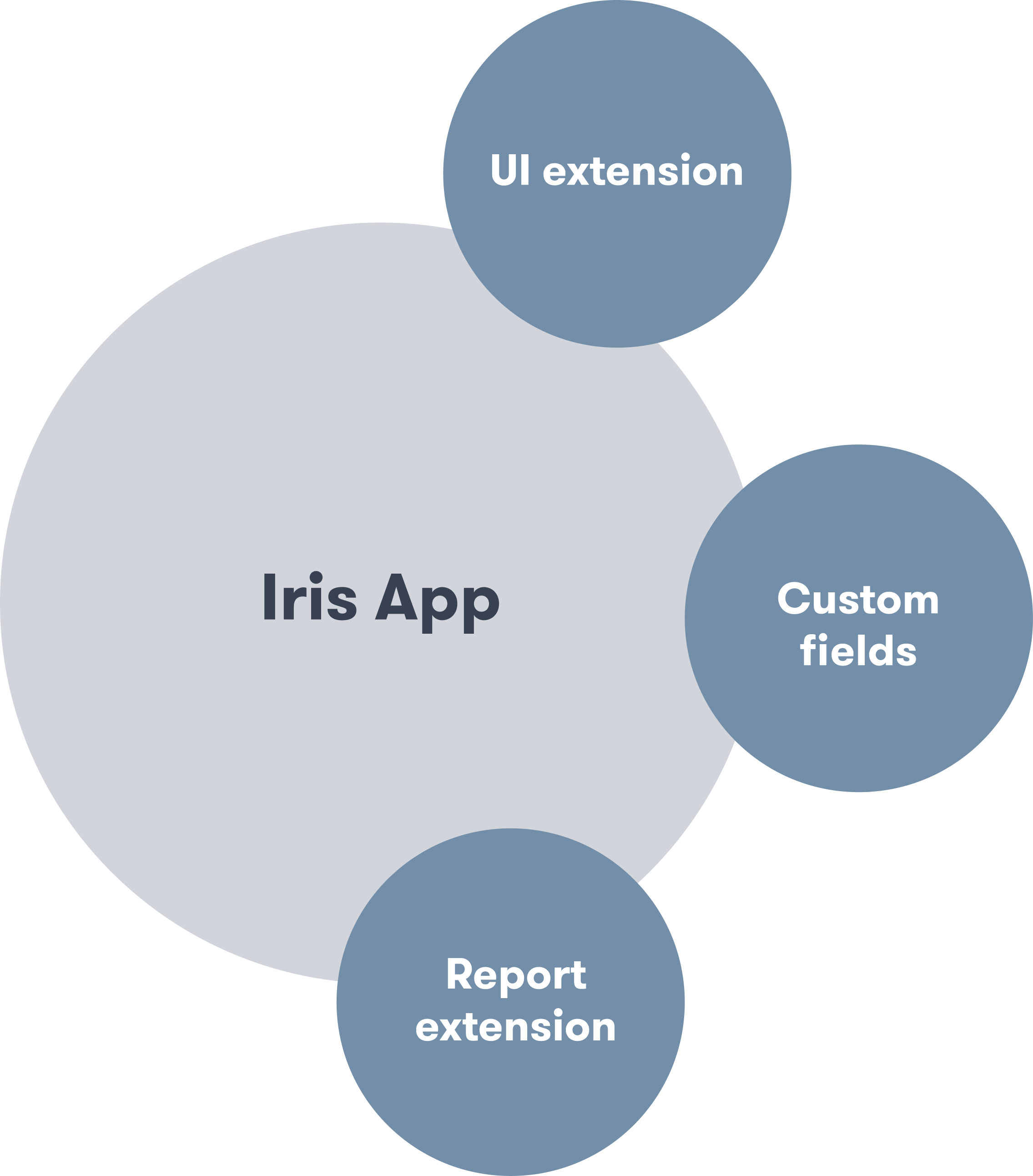
The App SDK provides these extension points in the manager.
Asset Home Extension Point
This extension point allows you to add a new tab to the Assets Home screen within Trackunit Manager, as illustrated in the image below. The extension is controlled in the extension-manifest.ts file.
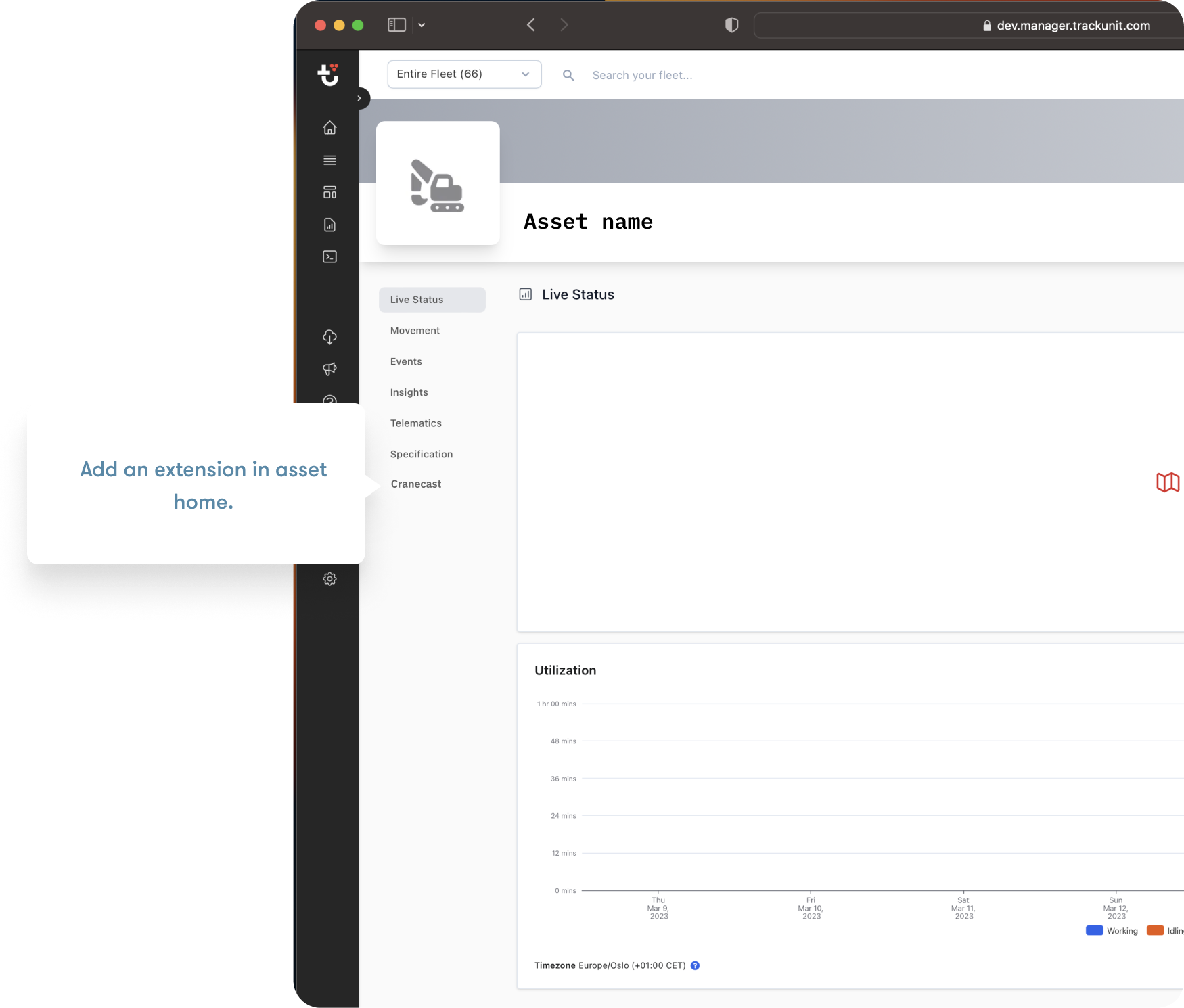
Menu Item
menuItem: {
  name: "Specification";
}
Visibility
Visibility is controlled using conditions. The Asset's Brand and Model fields must match the Brand and Model entered within the code. The requiredCustomField field is optional and can be used to control when the menu item should be visible.
conditions: {
  brand: "your-brand", // optional as single or array
  model: ["your model", "your model2"] // optional as single or array
  requiredCustomField: { customFieldKey: "customField1", requiredValue: "enableMyPage" } // optional as single or array to control when the menu item should be visible
}
Site Home Extension Point
This extension point allows you to add a new tab to the Site Home screen within Trackunit Manager, as illustrated in the image below. The extension is controlled in the extension-manifest.ts file.
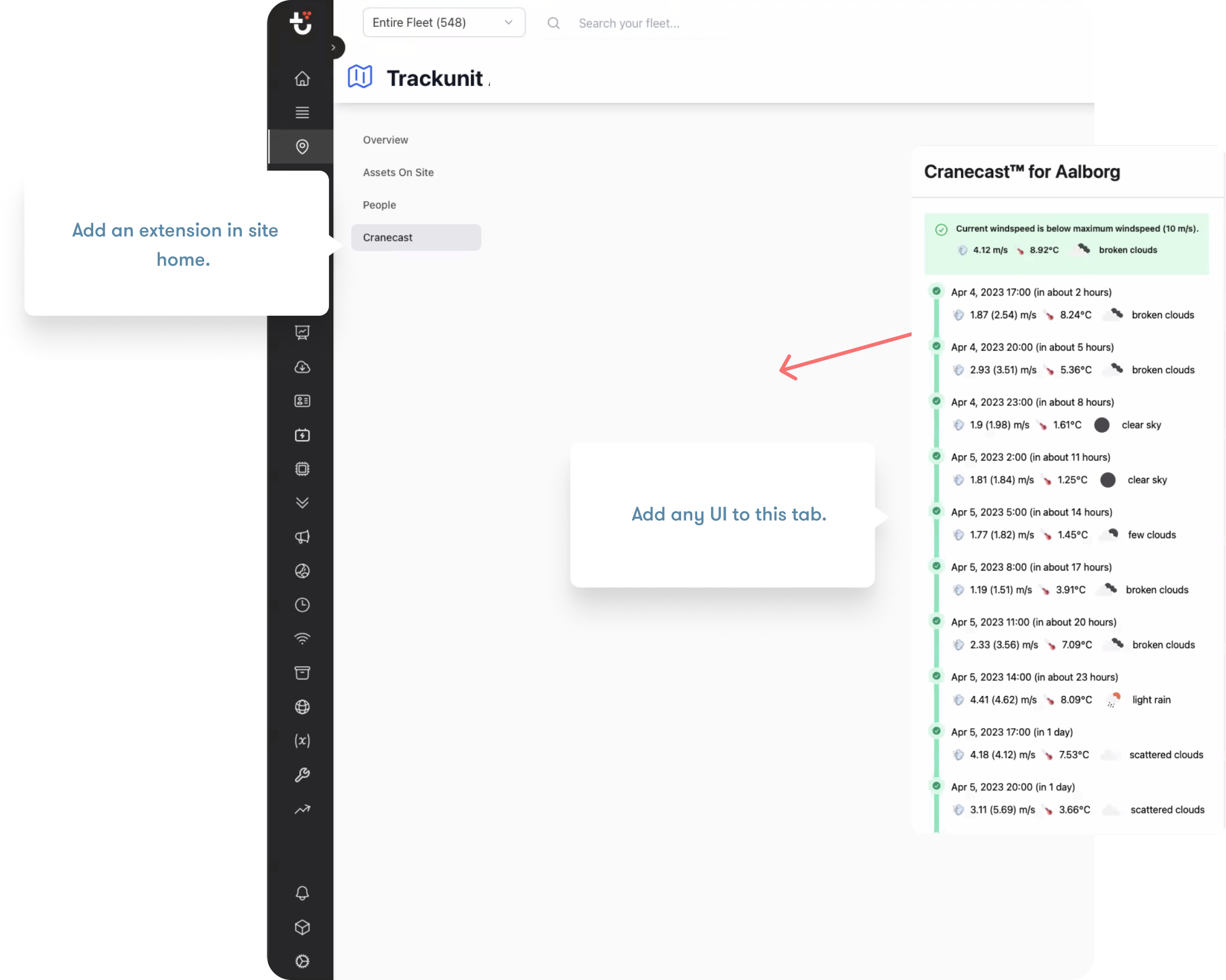
Fleet Extension Point
This extension point allows you to add a new menu item to the apps list on the Main Menu within Trackunit Manager, as illustrated in the image below. The extension is controlled in the extension-manifest.ts file.
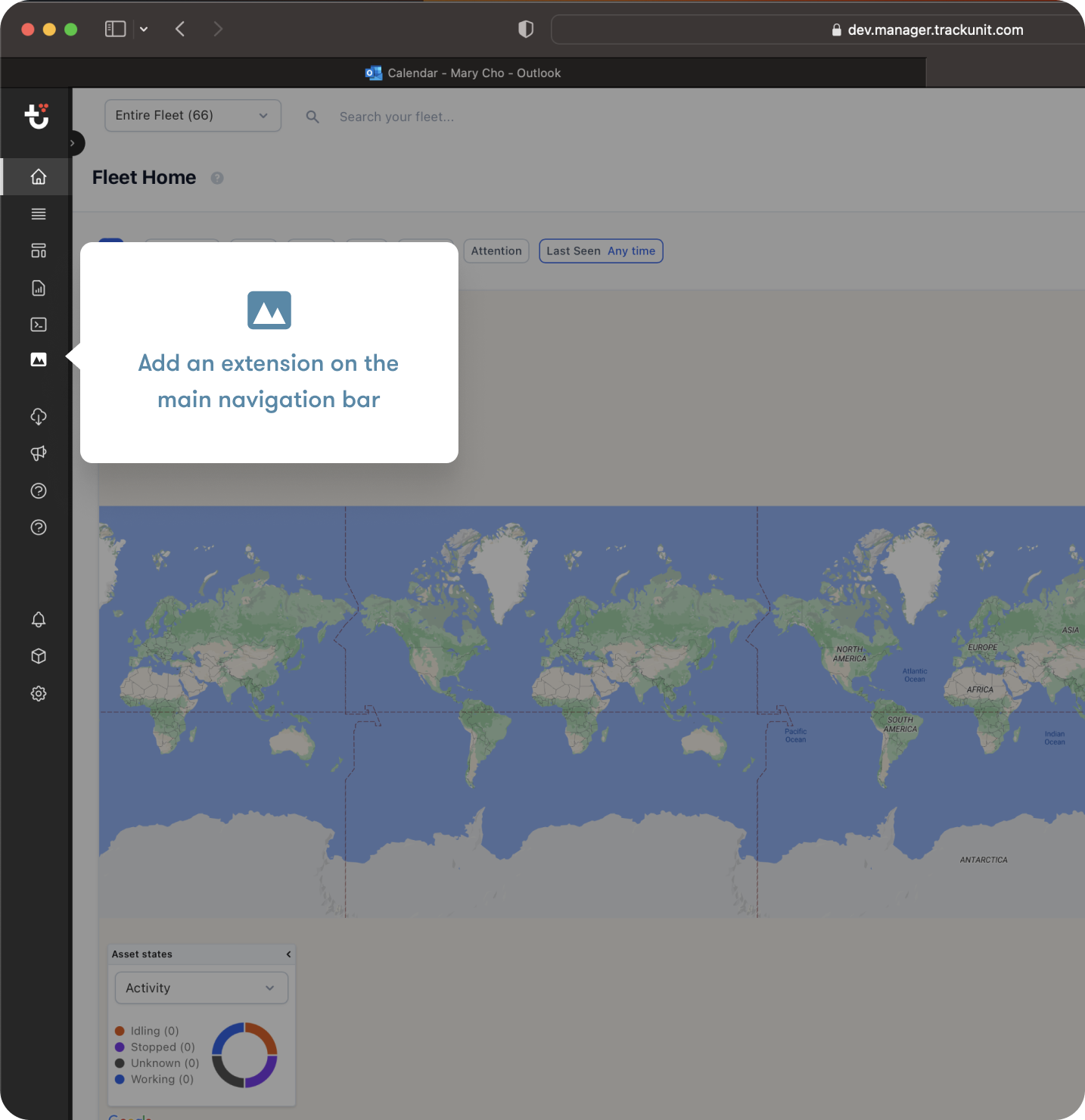
Menu Item
menuItem: {
  name: 'Fleet Inventory',
  icon: 'AnalyticsPie1Bold',
}
The icon field allows you to select the icon used in the navigation bar. See the Icon component in our Design System for an overview of supported icons.
Visibility
Visibility is controlled using conditions. If Brand and Model fields are filled out they must match at least one asset in the fleet for the menu item to show.
conditions: {
  brand: "your-brand", // optional as single or array
  model: ["your model", "your model2"] // optional as single or array
}
Report Extension Point
The Report Extension Point allows you to add a new report to the Reports screen within Trackunit Manager. The extension is controlled in the extension-manifest.ts file.
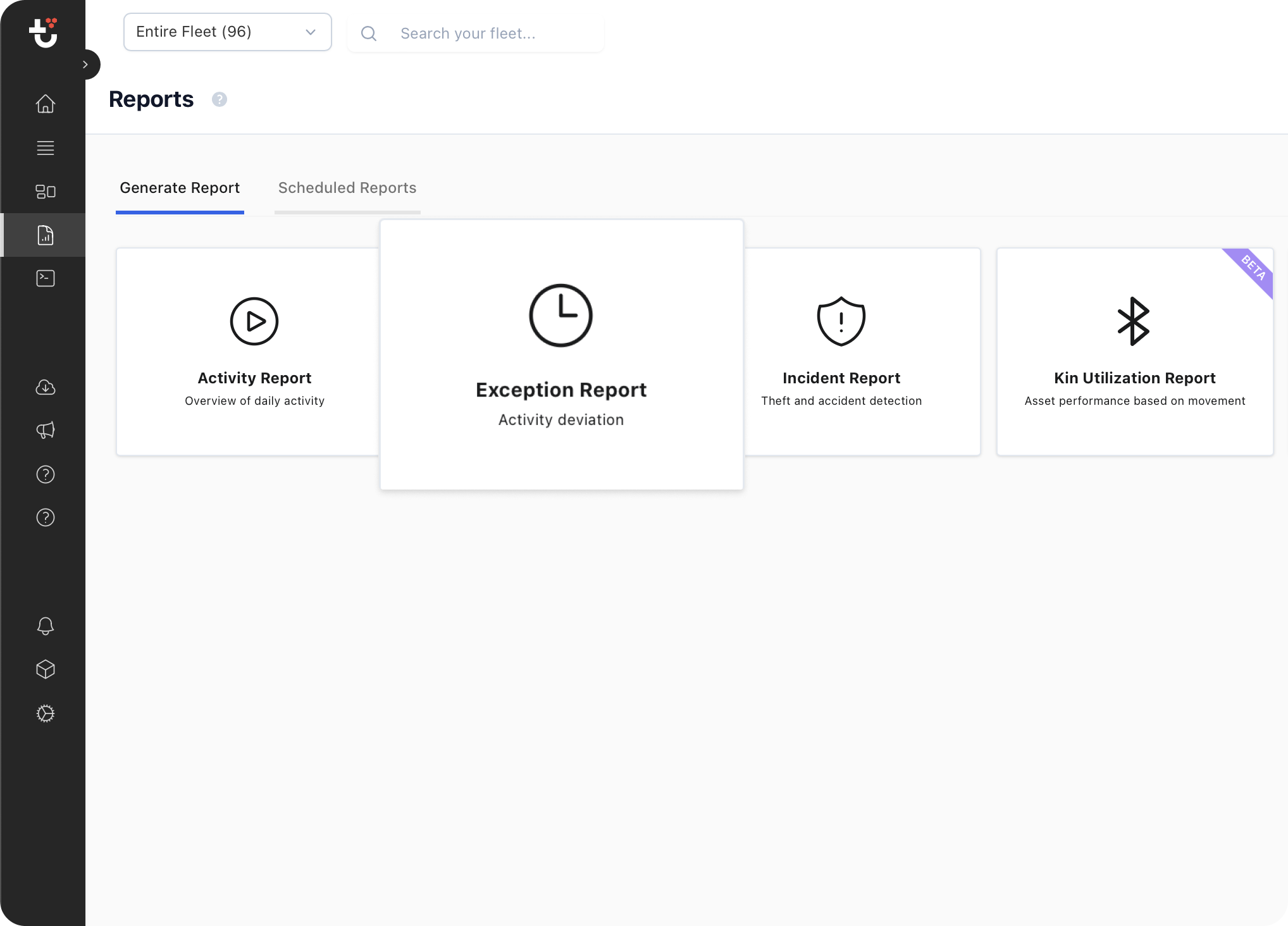
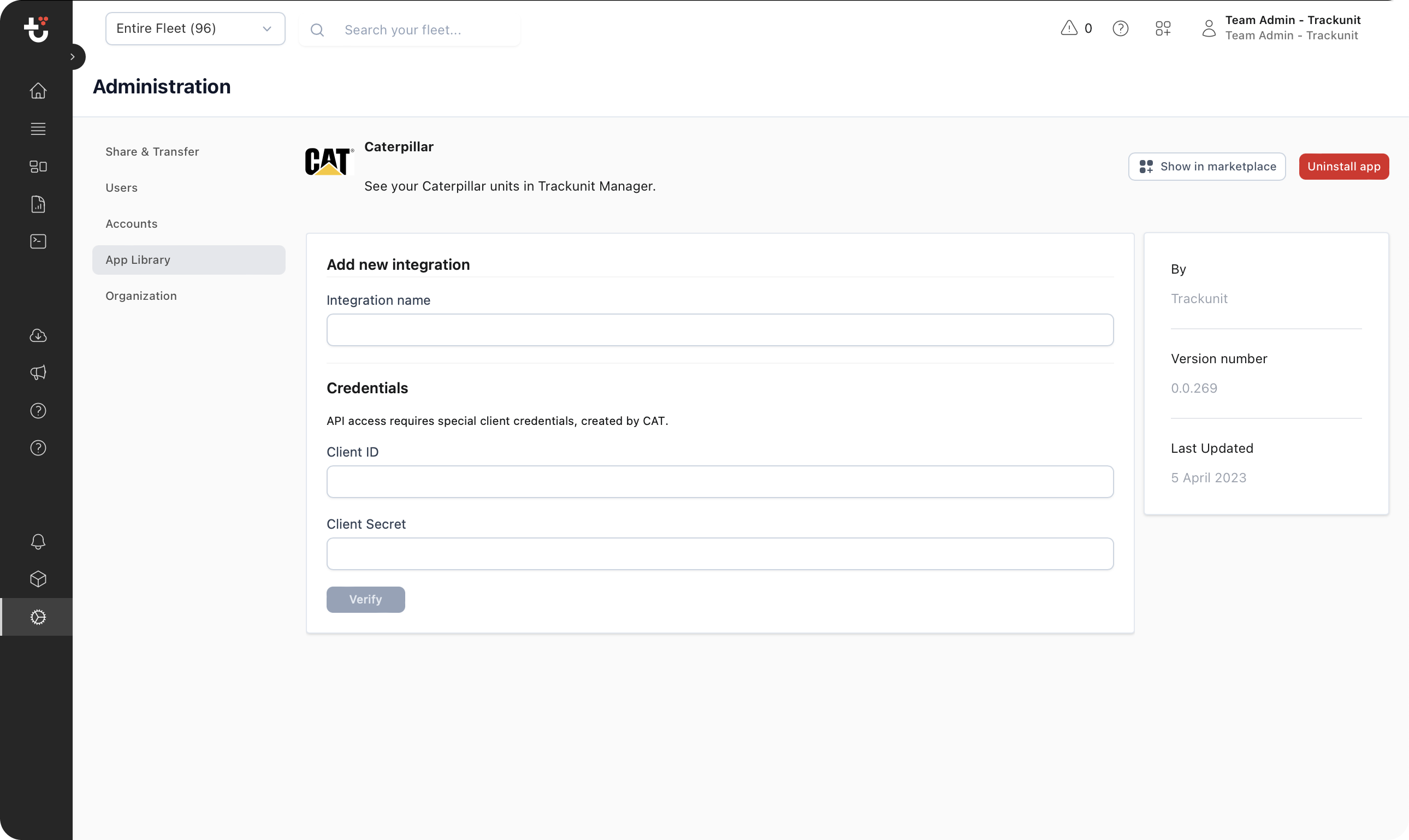
App Settings Extension Point
This extension point allows you to add a configuration user interface for your app in the App library. After a user installs an app he will be guided to the app library, so this is the perfect place to add an extension if your app requires configuration.
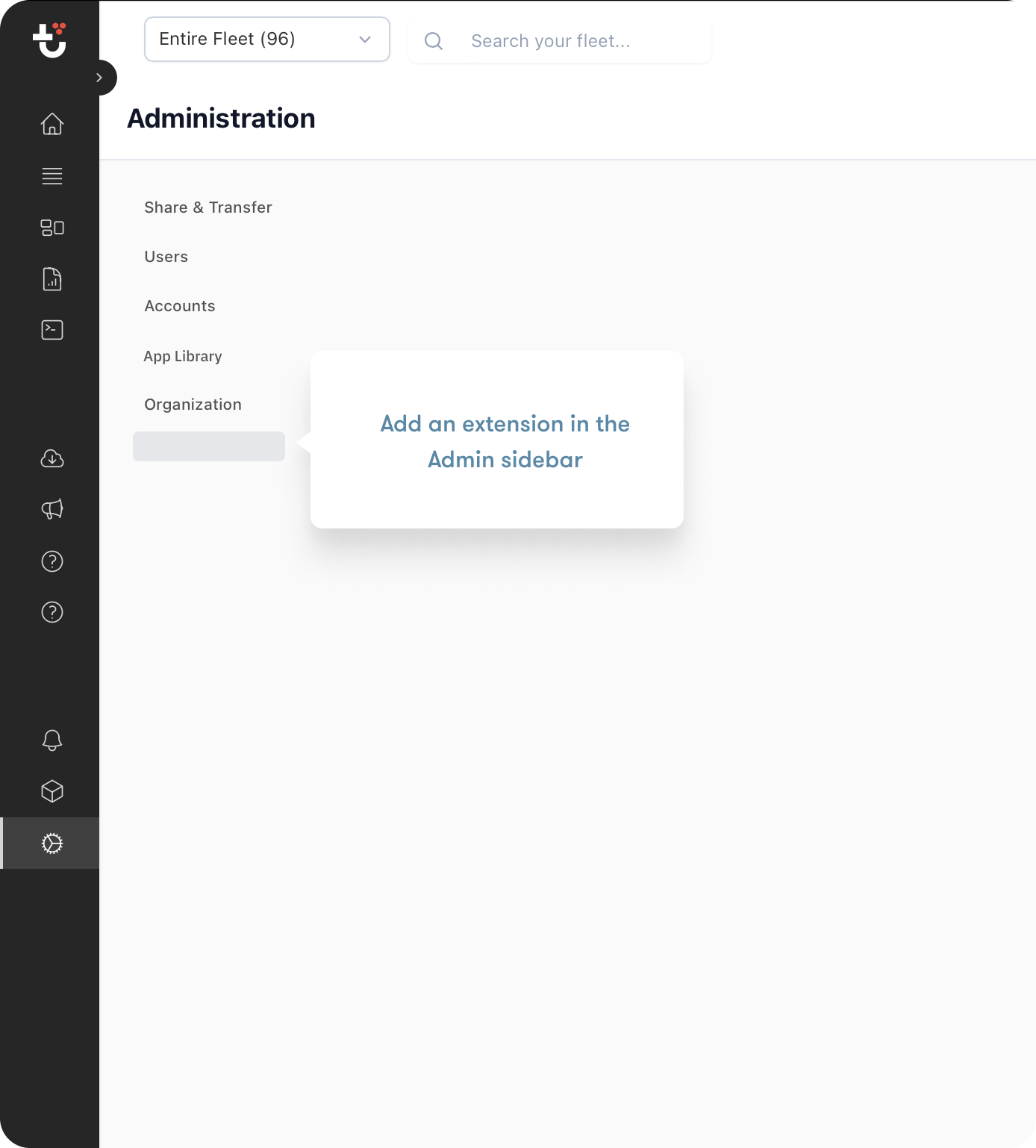
Administration Extension Point
This extension point allows you to add a new tab in the administration user interface. It will only be visible to users in the Administrator role.
Widget Extension Point
This extension point allows you to add a widget to Trackunit Manager.
Header
The widget has an header which should be filled out such that users know what widget it is.
header: {
  name: "Mixer widget",
  icon: "ConcreteMixer",
},
Widget size
It is possible to control the widget size by specifying grid options:
gridOptions: {
  minH: 2,
  minW: 1,
  maxH: 2,
  maxW: 4,
}
The values are in grid units — columns (W) and rows (H) on the Trackunit Manager dashboard grid. One grid unit is not a fixed pixel size; it scales with the dashboard layout. Use the reference below as a starting point:
| Property | Description | Example value |
|---|---|---|
minW | Minimum width in grid columns | 1 (narrow) — 2 (standard) |
maxW | Maximum width in grid columns | 4 (full-width) |
minH | Minimum height in grid rows | 2 (compact) |
maxH | Maximum height in grid rows | 4 (tall) |
If you omit gridOptions the widget uses the platform default size.
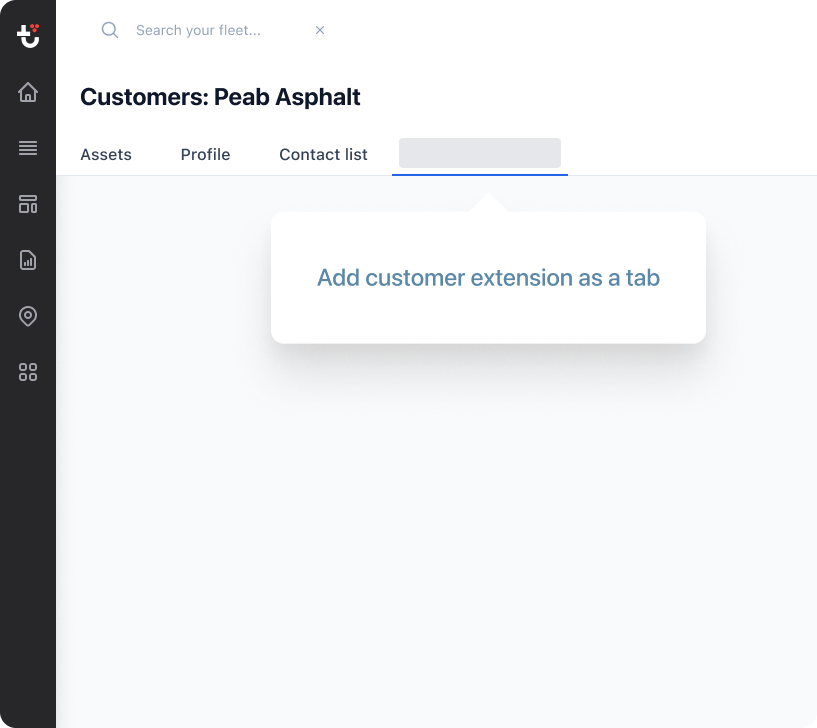
Customer Home Extension Point
This extension point allows you to add a user interface within customer home in Trackunit Manager. The extension is controlled in the extension-manifest.ts file.
Menu Item
menuItem: {
  name: "My Customer Page";
}
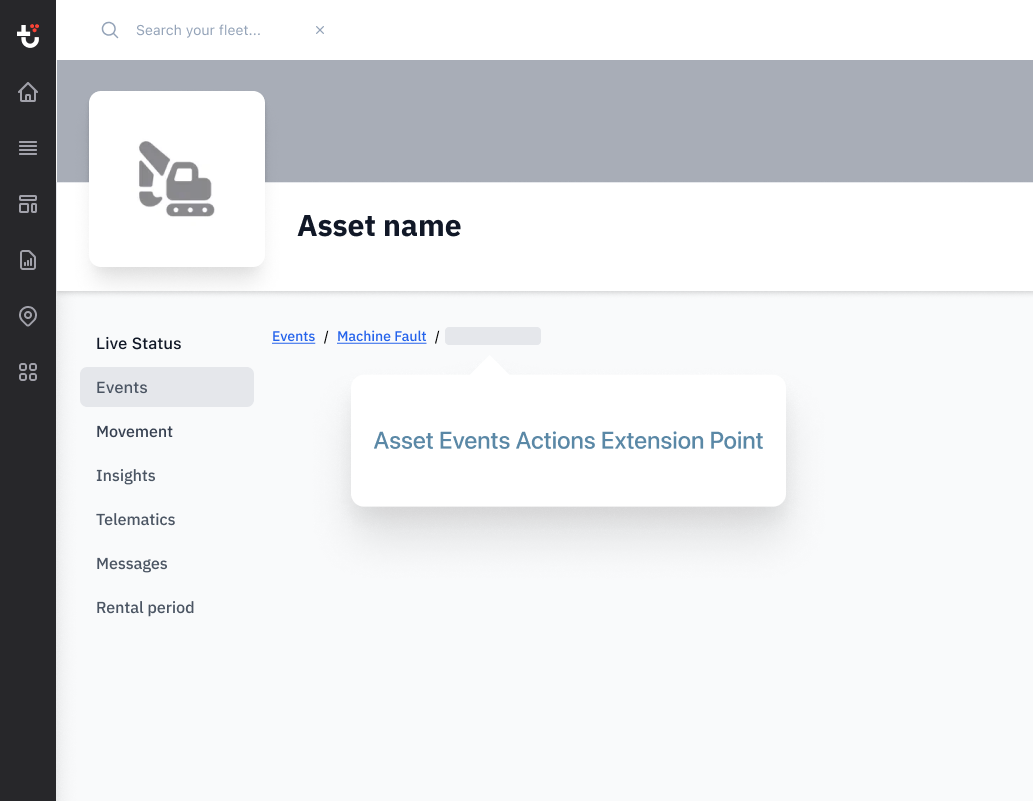
Asset Events Actions Extension Point
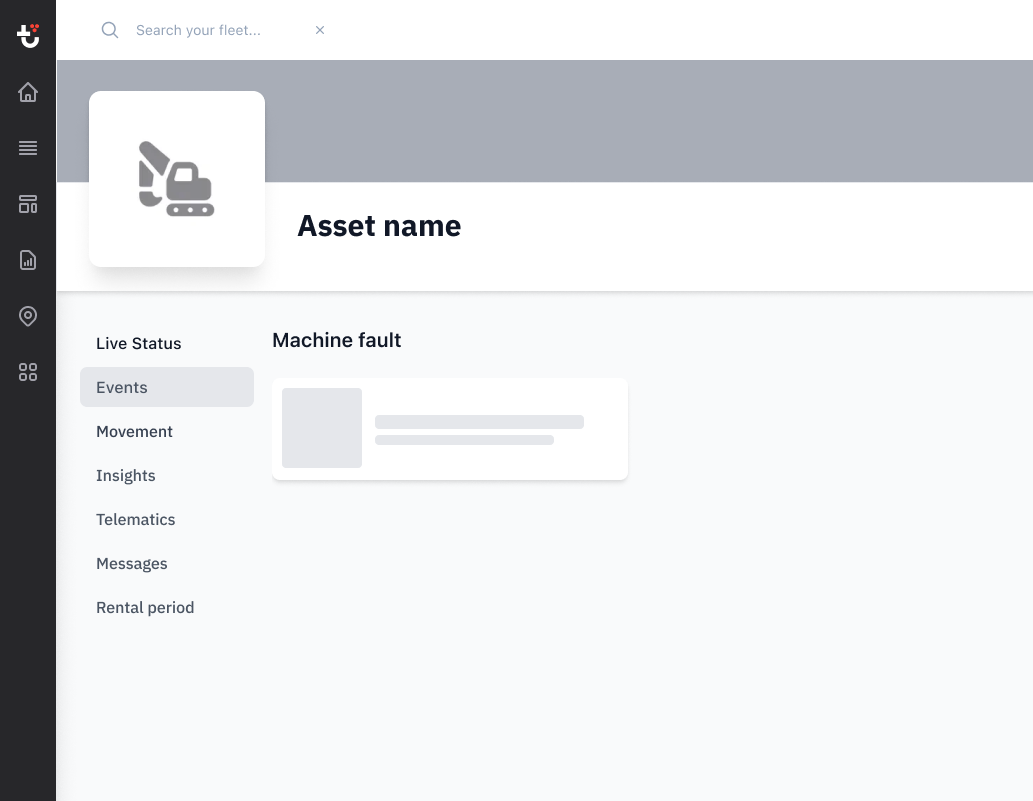
This extension point allows you to add a user interface in the Events within Asset Home in Trackunit Manager. The extension is controlled in the extension-manifest.ts file.
Menu Item
menuItem: {
  name: "My Special Event";
}
Visibility
Visibility is controlled using conditions. The Event's Type must match the Type entered within the code.
conditions:{
  eventType: "event-type",
  sourceAddress: 123; // optional as single or array
  failureModeIdentifier: 123; // optional as single or array
  suspectParameterNumber: 123; // optional as single or array
  requiredCustomField: { customFieldKey: "customField1", requiredValue: "enableMyPage" } // optional as single or array to control when the menu item should be visible
}
App lifecycle extension point
This extension point allows to execute code serverside when an app is installed or uninstalled. The code will receive an app token that allows to call the Iris APIs as the customer who just installed the app.
Example:
import { IrisAppLifecycleAppInstalled, IrisAppLifecycleAppUninstalled } from "@trackunit/iris-app-api";

export const appInstalled: IrisAppLifecycleAppInstalled = async (appToken, accountId) => {
  console.log("App installed", accountId);
};

export const appUninstalled: IrisAppLifecycleAppUninstalled = async (appToken, accountId) => {
  console.log("App uninstalled", accountId);
};
AI navigation
Extensions can describe their own pages so that Trackunit Manager's AI assistant can offer them as
navigation destinations and take a user straight to the right page inside your app. Declare them with
the aiNavigation manifest field, available from @trackunit/iris-app-api 2.4.0.
aiNavigation is supported on every extension point that has a page a user can land on:
| Extension type | AI navigation |
|---|---|
FLEET_EXTENSION | Supported |
ADMIN_EXTENSION | Supported |
IRIS_APP_SETTINGS_EXTENSION | Supported, root route only (path: "/") |
ASSET_HOME_EXTENSION | Supported |
SITE_HOME_EXTENSION | Supported |
CUSTOMER_HOME_EXTENSION | Supported |
ASSET_EVENTS_ACTIONS_EXTENSION | Supported |
REPORT_EXTENSION, WIDGET_EXTENSION | Not supported — no deep-linkable in-app URL |
The field is opt-in. Extensions that don't declare it are never offered as destinations.
Declaring routes in the manifest
aiNavigation is plain, router-agnostic JSON — a list of routes, each with a path, a title, and a
description:
import { FleetExtensionManifest } from "@trackunit/iris-app-api";

const irisAppManifest: FleetExtensionManifest = {
  id: "your-fleet-extension",
  type: "FLEET_EXTENSION",
  sourceRoot: "libs/your-app/main/src",
  menuItem: { name: "Your App" },
  aiNavigation: {
    routes: [
      {
        path: "/operators",
        title: "Operators",
        description: "List and manage the operators who can access machines.",
      },
      {
        path: "/operators/$operatorId/details",
        title: "Operator details",
        description: "Details page for a specific operator, including profile and access information.",
        params: { operatorId: { description: "The operator ID." } },
      },
    ],
  },
};

export default irisAppManifest;
Each route accepts:
| Field | Required | Description |
|---|---|---|
path | Yes | In-app path, starting with / and staying inside your extension. Dynamic segments use $paramName. |
title | Yes | Short page name, max 80 characters, plain text. |
description | Yes | What the page shows and does, max 300 characters, plain text. |
params | When the path has $ segments | Map of param name to { description }. Every $paramName in the path needs an entry, and every entry needs a matching segment. |
search | No | Map of query param name to { description, type?, required? }, where type is "string", "number", or "boolean". |
An extension may declare up to 50 routes. All of this is validated when your app builds and again when
it's published — including that title and description are plain text, with no HTML, URLs, or
Markdown.
The title and description are all the assistant has to match a user's request against, so describe
page intent — what a user can see and do there — rather than restating the route name.
Deriving routes from Tanstack Router
If your app routes with Tanstack Router you don't have to keep a second copy of your routes in the
manifest. Annotate the routes you want to expose with staticData.aiNavigation and derive the
manifest field from the route tree with extractAiNavigationFromTanstackRouter. Routes without the
annotation are skipped, so you opt in page by page.
Code-based routes (createRoute):
import { createRootRoute, createRoute } from "@tanstack/react-router";

const rootRoute = createRootRoute({
  component: () => <App />,
});

const operatorsRoute = createRoute({
  getParentRoute: () => rootRoute,
  path: "/operators",
  component: OperatorsOverview,
  staticData: {
    aiNavigation: {
      title: "Operators",
      description: "List and manage the operators who can access machines.",
    },
  },
});

const operatorDetailsRoute = createRoute({
  getParentRoute: () => rootRoute,
  path: "/operators/$operatorId/details",
  component: OperatorDetails,
  staticData: {
    aiNavigation: {
      title: "Operator details",
      description: "Details page for a specific operator, including profile and access information.",
      params: { operatorId: { description: "The operator ID." } },
    },
  },
});

export const routeTree = rootRoute.addChildren([operatorsRoute, operatorDetailsRoute]);
File-based routes (createFileRoute):
export const Route = createFileRoute("/operators/$operatorId/details")({
  component: OperatorDetails,
  staticData: {
    aiNavigation: {
      title: "Operator details",
      description: "Details page for a specific operator, including profile and access information.",
      params: { operatorId: { description: "The operator ID." } },
    },
  },
});
Export the route tree from a module your manifest can import, and augment Tanstack's
StaticDataRouteOption where you create the router so the annotations typecheck:
import { createRouter } from "@tanstack/react-router";
import type { IrisAiNavigationRouteMetadata } from "@trackunit/iris-app-api";
import { routeTree } from "./routeTree";

export { routeTree } from "./routeTree";

export const router = createRouter({
  routeTree,
});

declare module "@tanstack/react-router" {
  interface Register {
    router: typeof router;
  }

  interface StaticDataRouteOption {
    aiNavigation?: IrisAiNavigationRouteMetadata;
  }
}
Then derive the field in extension-manifest.ts:
import { extractAiNavigationFromTanstackRouter, FleetExtensionManifest } from "@trackunit/iris-app-api";
import { routeTree } from "./src/routeTree";

const irisAppManifest: FleetExtensionManifest = {
  // ...
  aiNavigation: extractAiNavigationFromTanstackRouter(routeTree),
};

export default irisAppManifest;
Entity-scoped extensions
Asset Home, Site Home, Customer Home, and Asset Events Actions extensions render inside an entity's page, and Manager supplies that context itself when it navigates:
| Extension type | Parameters the host injects |
|---|---|
FLEET_EXTENSION, ADMIN_EXTENSION | None |
IRIS_APP_SETTINGS_EXTENSION | None |
ASSET_HOME_EXTENSION | assetId |
SITE_HOME_EXTENSION | siteId |
CUSTOMER_HOME_EXTENSION | customerId |
ASSET_EVENTS_ACTIONS_EXTENSION | assetId, eventType, eventId |
Your path and params describe only the part of the URL your app owns — /,
/operators/$operatorId/details — relative to your extension. Never include the host route around it
(/assets/$assetId/app/...) and never declare the ids the host injects as your own params.
Many entity-scoped extensions have a single page worth advertising, in which case one root route is a complete answer. Write its title and description as what the page does for that entity, not as the tab it lives in:
aiNavigation: {
  routes: [
    {
      path: "/",
      title: "Asset access management",
      description:
        "Access management for a single asset: the operators holding keys to it, its key usage history, and its access management and immobilizer configuration.",
    },
  ],
},
Codemod
@trackunit/iris-app-api 2.4.0 ships a migration that does the mechanical part of the Tanstack Router
setup: it adds the staticData.aiNavigation type augmentation to your router and derives
aiNavigation from your route tree in navigable extension manifests. Annotating individual routes is
left to you.
nx g @trackunit/migrations:migrate
nx g @trackunit/migrations:run-migrations
Included migration
v2-4-0-add-ai-navigation(from@trackunit/iris-app-api2.4.0) — only touches extension types that supportaiNavigationand leaves everything else untouched.